
Browser Extension
The Sharp Cooking Recipe Importer is a browser extension that lets you import recipes from any webpage directly into Sharp Cooking — no copy-pasting required.
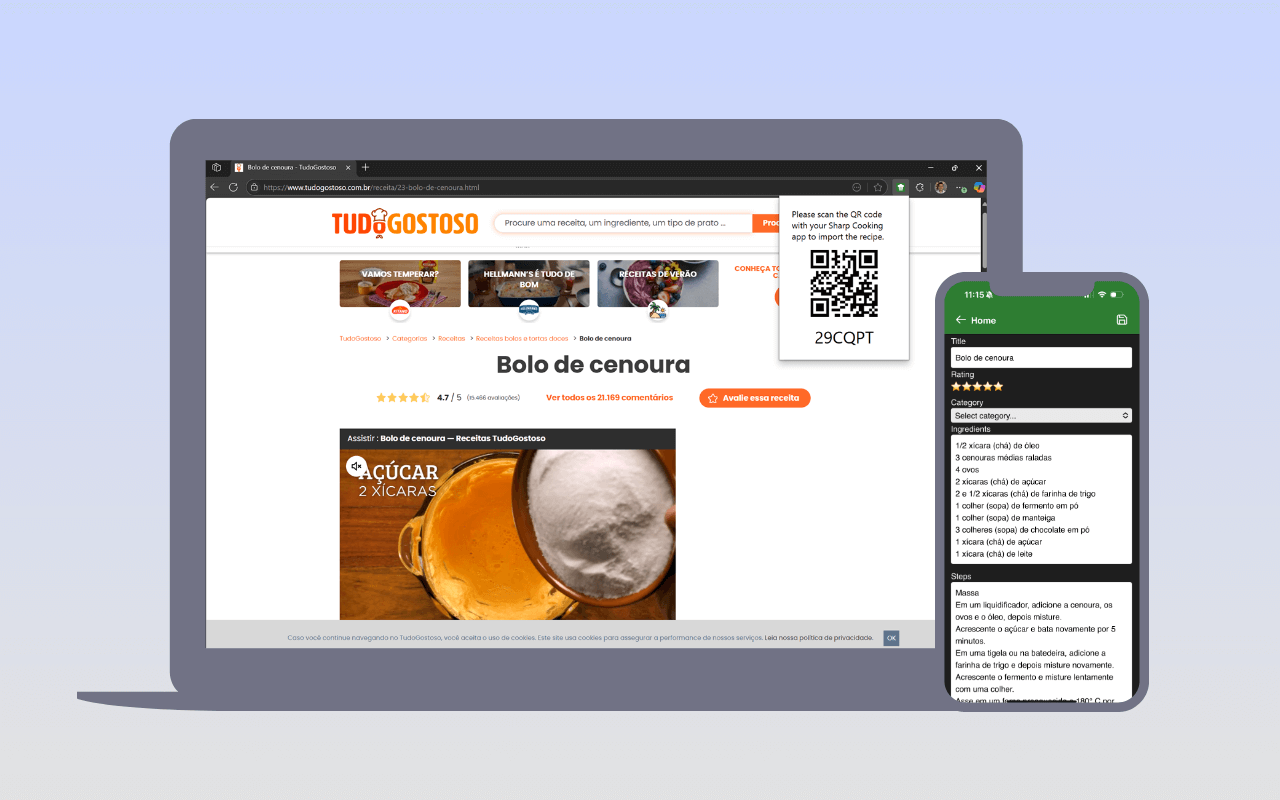
The extension is available for Google Chrome and Chromium-based browsers (Edge, Brave, etc.). You can find it in the Chrome Web Store by searching for “Sharp Cooking Recipe Importer”, or install it manually from the GitHub repository.
- Navigate to any recipe webpage in your browser.
- Click the Sharp Cooking Recipe Importer extension icon in your browser toolbar.
- The extension parses the recipe on the page and displays a QR code.
- Open Sharp Cooking on your phone or tablet and use the Add from share code option.
- Scan the QR code — the recipe will be imported into your app automatically.
TipThe same recipe websites supported by the in-app URL import are supported by the extension. If a website doesn’t work, report it in the GitHub issues.